Build your vibration instrument
Connect the piezo sensor, attach it to an object, and discover its hidden vibrations.
Step by step
- Step 1 of 9
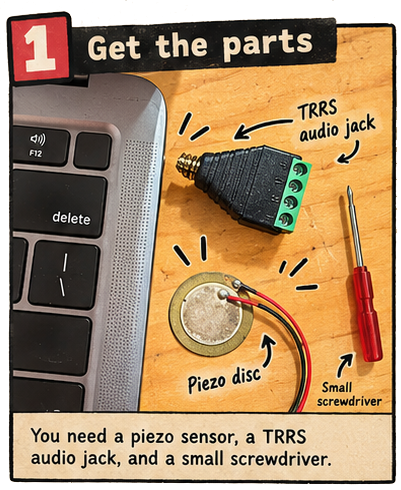
Gather the piezo sensor, TRRS audio jack, and small screwdriver
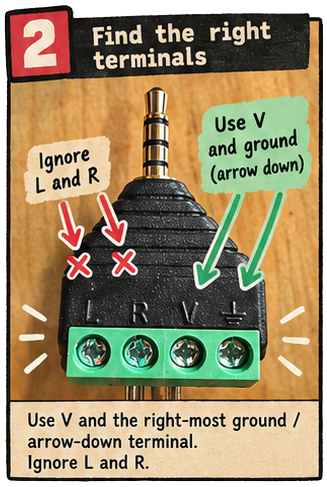
- Step 2 of 9
Find the V and right-most ground terminals on the TRRS audio jack
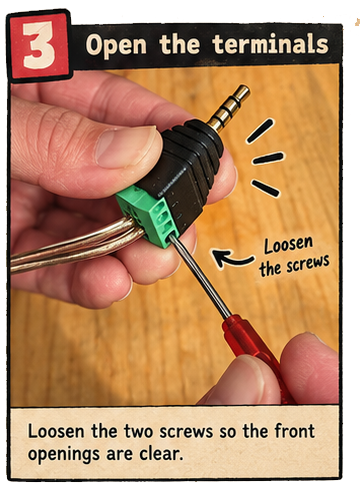
- Step 3 of 9
Loosen the two terminal screws with the small screwdriver
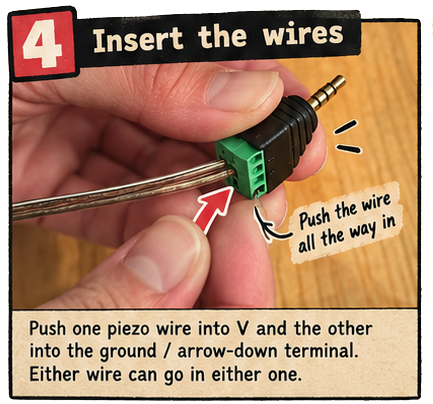
- Step 4 of 9
Insert one piezo wire into V and the other into the ground terminal
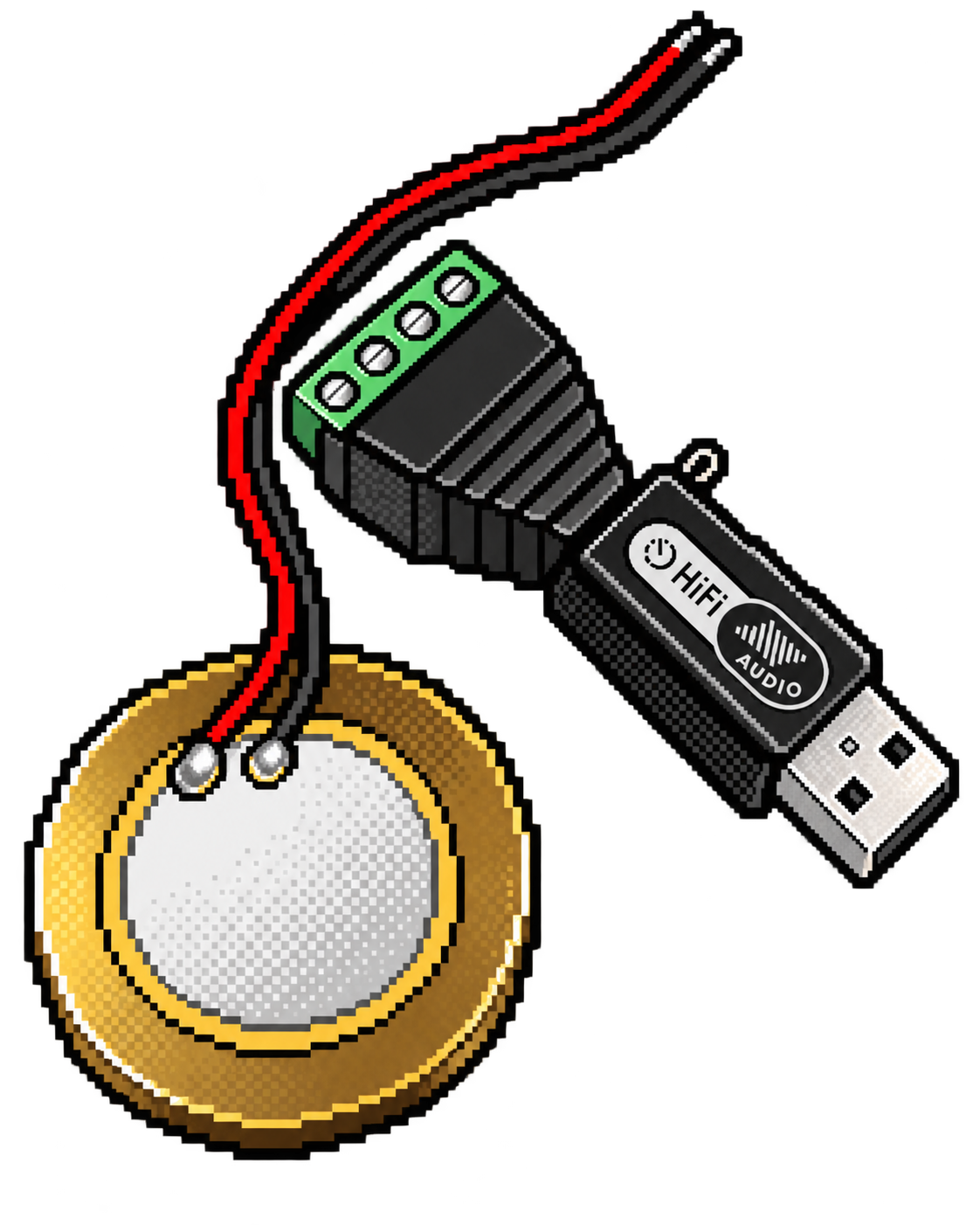
Insert one piezo wire into V and the other into the ground terminal. Piezo + TRRS jack Connect the sensor. Find the V and ground / arrow-down terminals on the TRRS audio jack. Loosen those two screws, push one piezo wire into each opening, then tighten the screws. Either wire can go in either terminal. Leave the L and R terminals empty. Gently tug both wires to check they are secure. Plug the jack into a 3.5 mm microphone/headset input—or use a USB audio adapter.
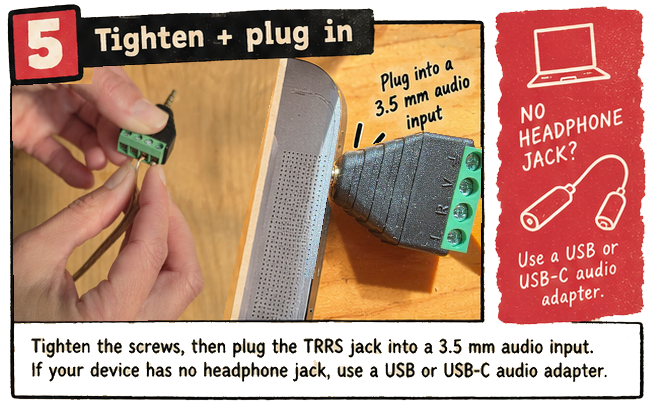
- Step 5 of 9
Tighten the screws and plug the TRRS jack into a 3.5 millimetre audio input or USB audio adapter
- Step 6 of 9
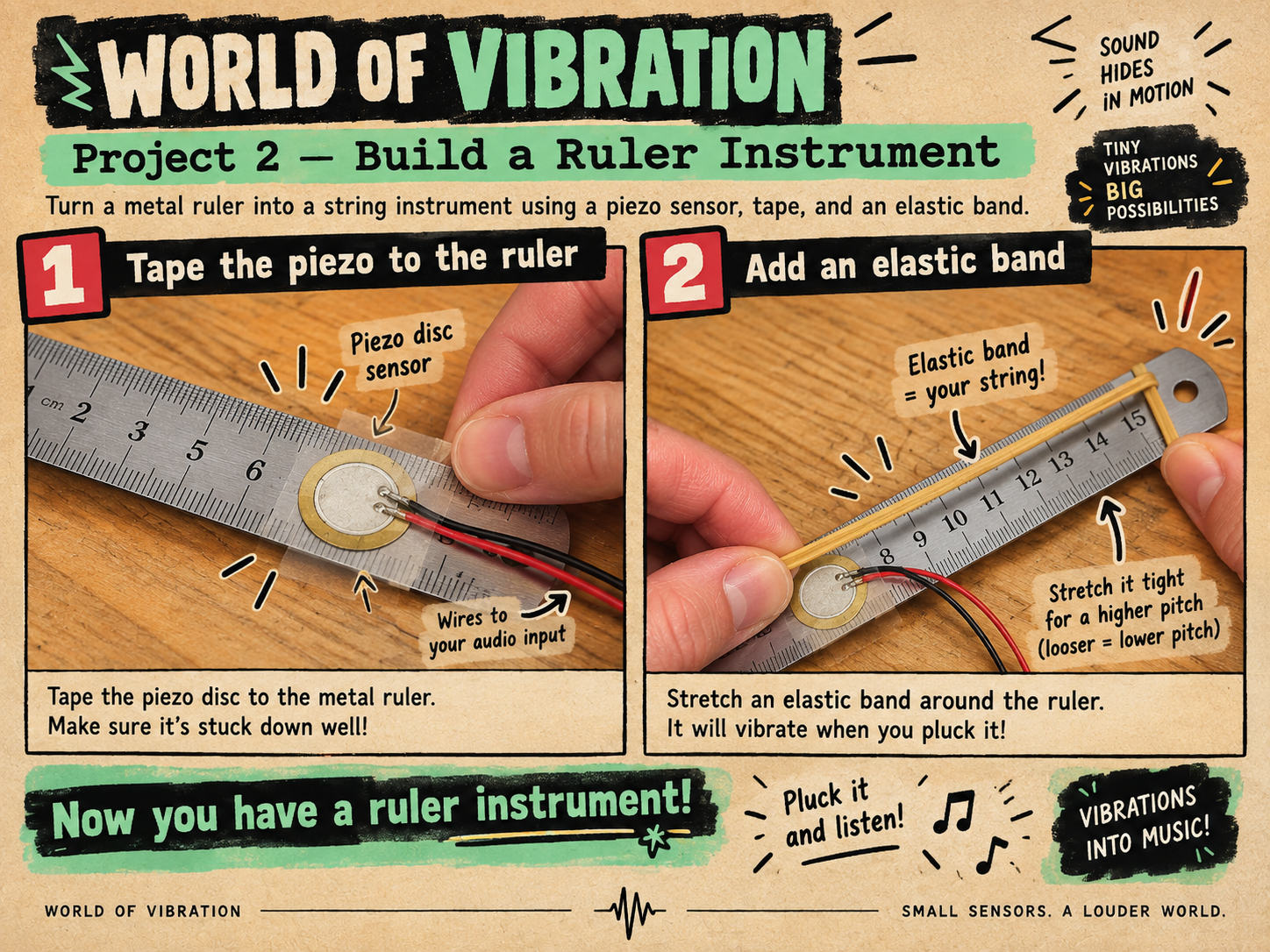
Attach it to something that vibrates.
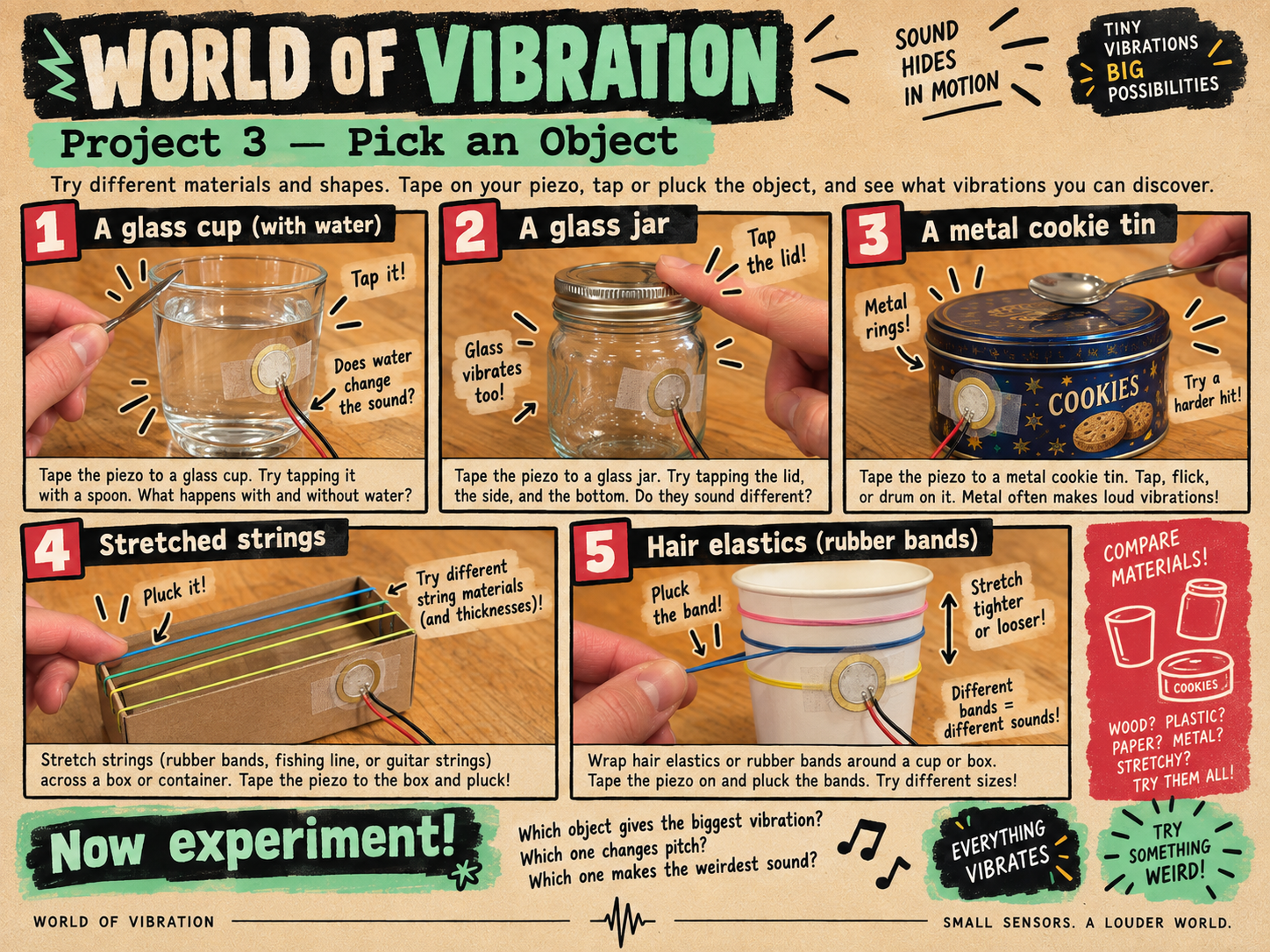
Choose a test object Tape the piezo firmly to a ruler, cardboard box, plastic cup, metal can, piece of wood, recycled container, or something strange from the materials pile. The sensor works best when its flat surface is touching the object. Ruler Elastic bands Cardboard Metal Plastic Wood
- Linked card
Junk Amp
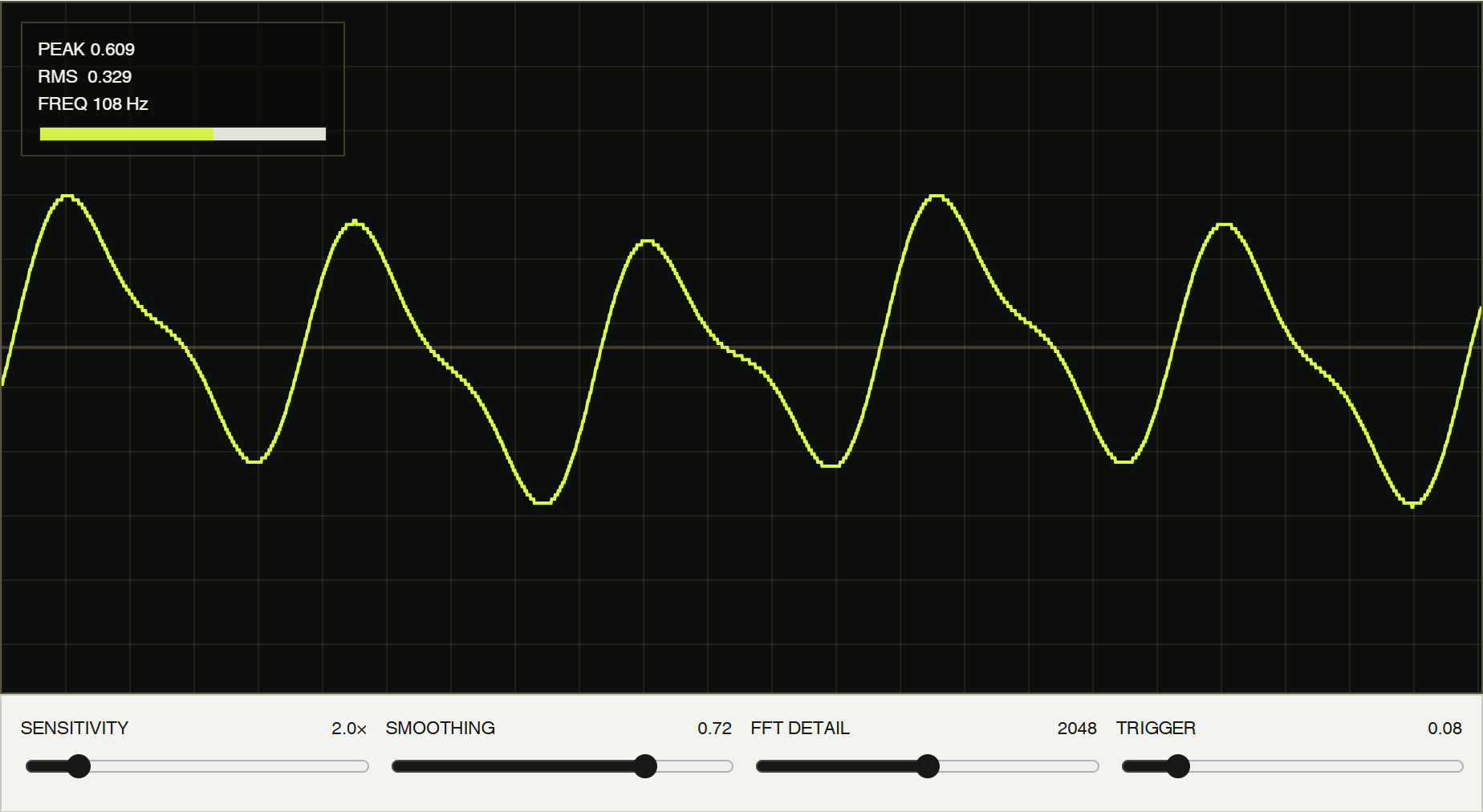
Amplify taps, plucks, scrapes, and knocks. Watch the live waveform, compare input strength, and shape the sound with gain, drive, filter, space, and presets.
Plug the piezo into a microphone/headset input or USB audio adapter. Allow microphone access, pick the correct input, and raise sensitivity or gain slowly.
Open Junk Amp ↗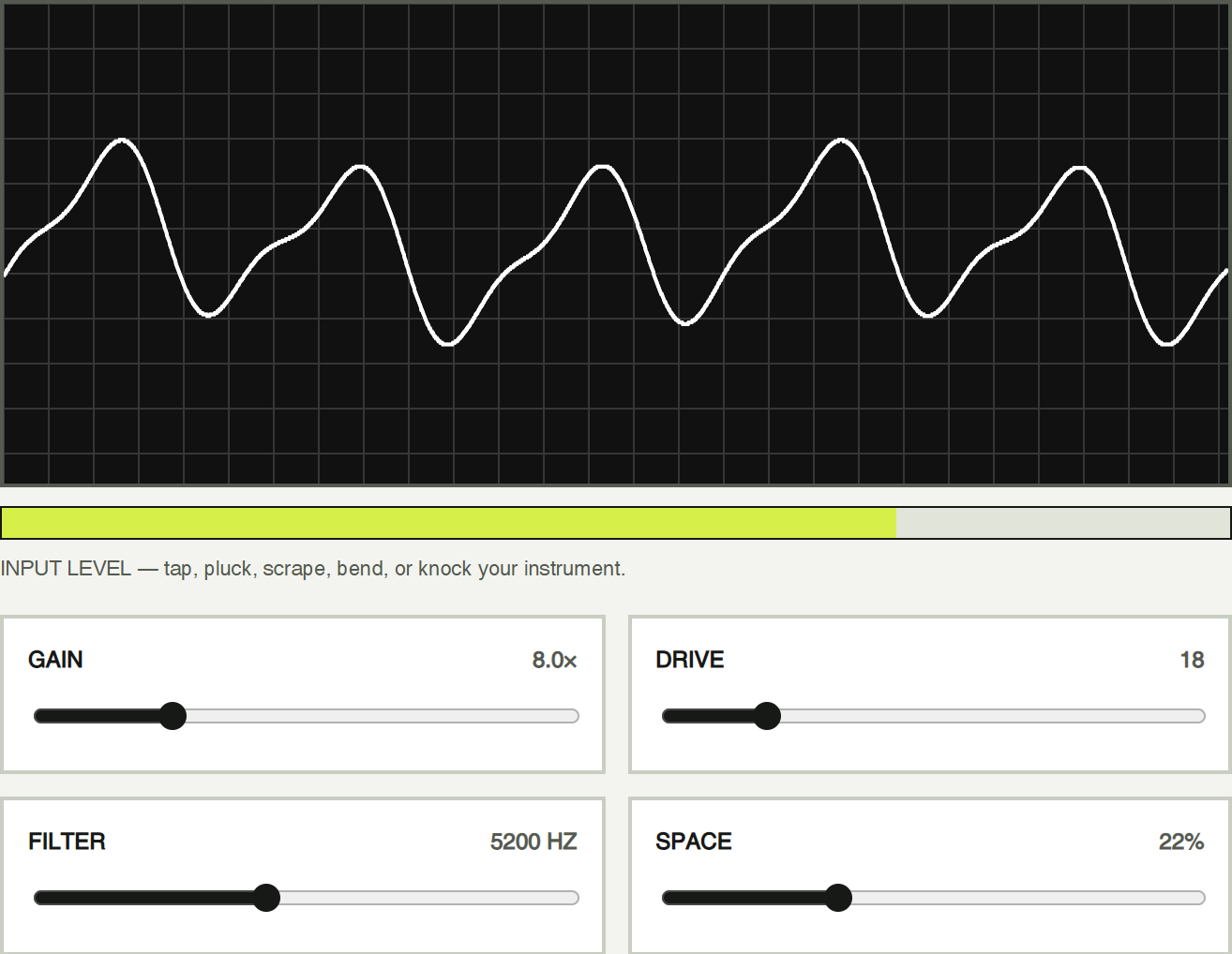
/apps/audio/junk-amp/index.html
- Step 8 of 9
Tap, pluck, scrape, or bend.
Wake up the signal Start gently and try one motion at a time. Open a lab app to see the vibration become a waveform, a sound, or a game control. Keep your computer and speaker volume low until the signal is working.
- Step 9 of 9
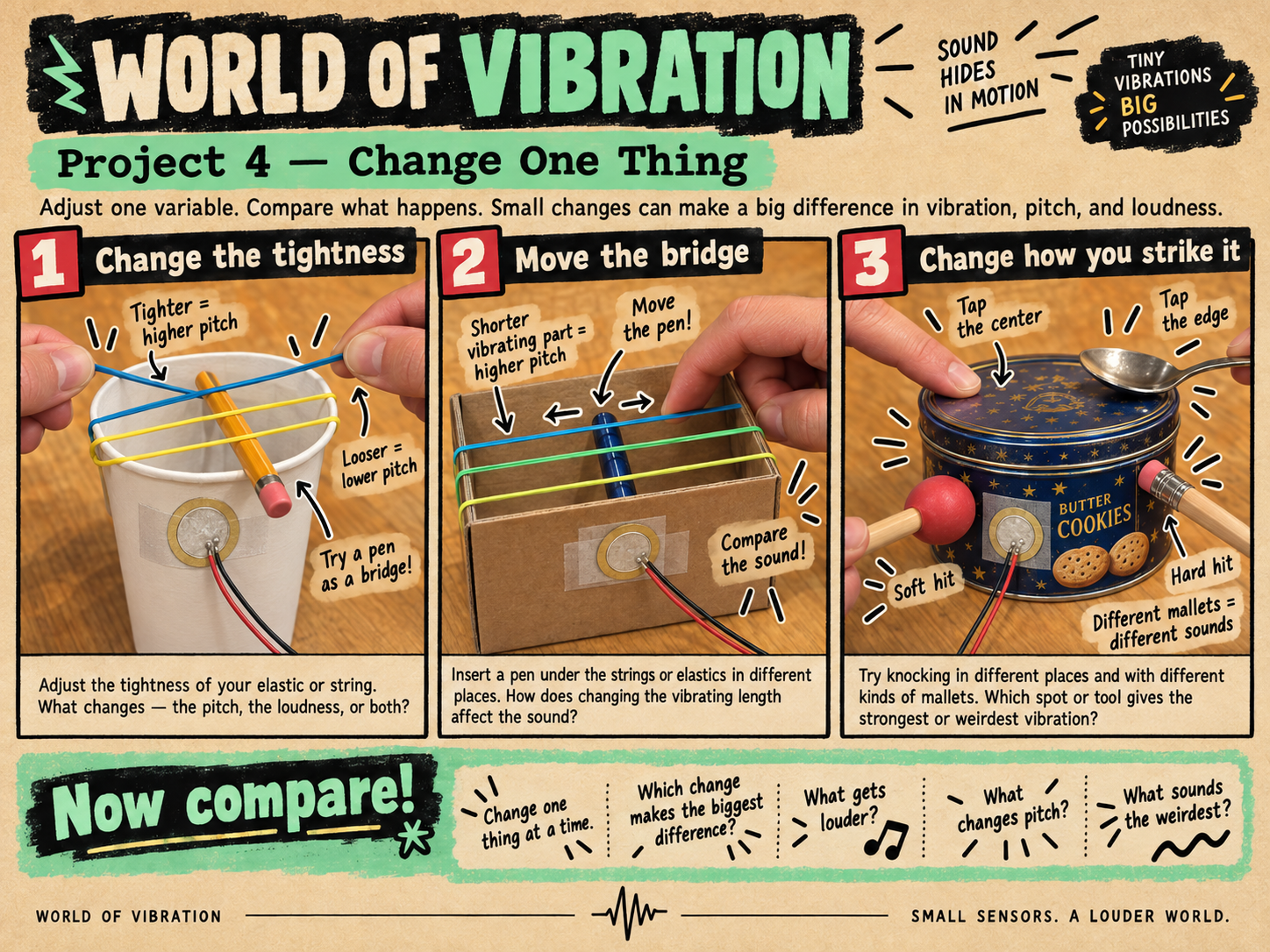
Change one thing. Compare what happens.
Find the pattern Move a ruler farther over the table edge and flick it again. Compare tight and loose elastic bands, or test the same tap on cardboard, wood, and metal. What changed in the sound, the waveform, or the strength of the signal? Your clue: The difference between two tests tells you how vibration moves through each object.