Three-sound drum
Split hit strength into quiet, medium, and hard zones. Trigger a hi-hat, snare, and kick—or replace them with animals, lasers, voices, or ridiculous noises.
< 20 · 20–50 · > 50 Case file 001
Mission 03 // Follow the signal
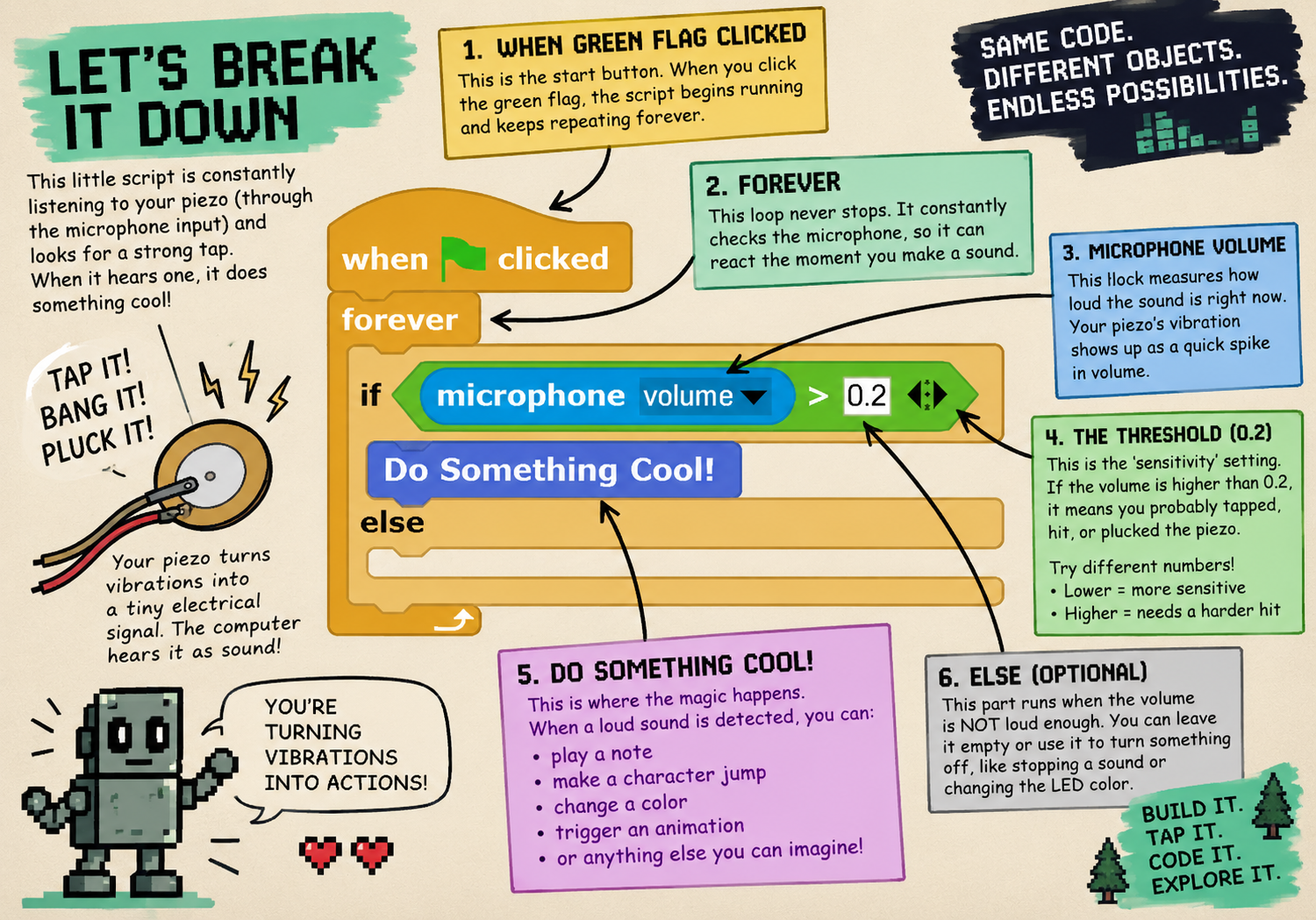
The computer can estimate how hard you hit—not only whether you hit. Turn that signal strength into different sounds, notes, effects, character movement, or a whole game controller.
Core idea
Four starting projects
Split hit strength into quiet, medium, and hard zones. Trigger a hi-hat, snare, and kick—or replace them with animals, lasers, voices, or ridiculous noises.
< 20 · 20–50 · > 50Map a 0–100 vibration reading to a frequency, such as 100–1000 Hz. Then experiment with pitch, wave shape, echo, and sensitivity.
vibration → frequencySave the peak vibration level from each hit. A small tap makes a tiny jump. A medium tap goes higher. A huge hit launches the character.
jump height = peak × scalePlug two instruments into a stereo input. Left controls Player 1, right controls Player 2, and each player adds a different synth voice to the soundtrack.
left + right vibration → two-player flightThere is no correct instrument
Repeat the experiment and compare the signal. You are investigating how vibration travels through the world.