
01 - Connect the sensor
Connect your piezo sensor and check that it works with Junk Amp before building an instrument.
Step by step
- Step 1 of 8
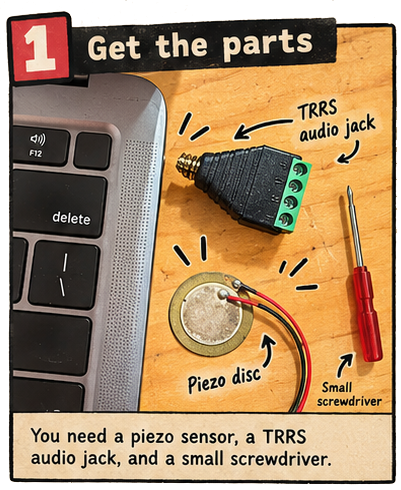
Gather the materials
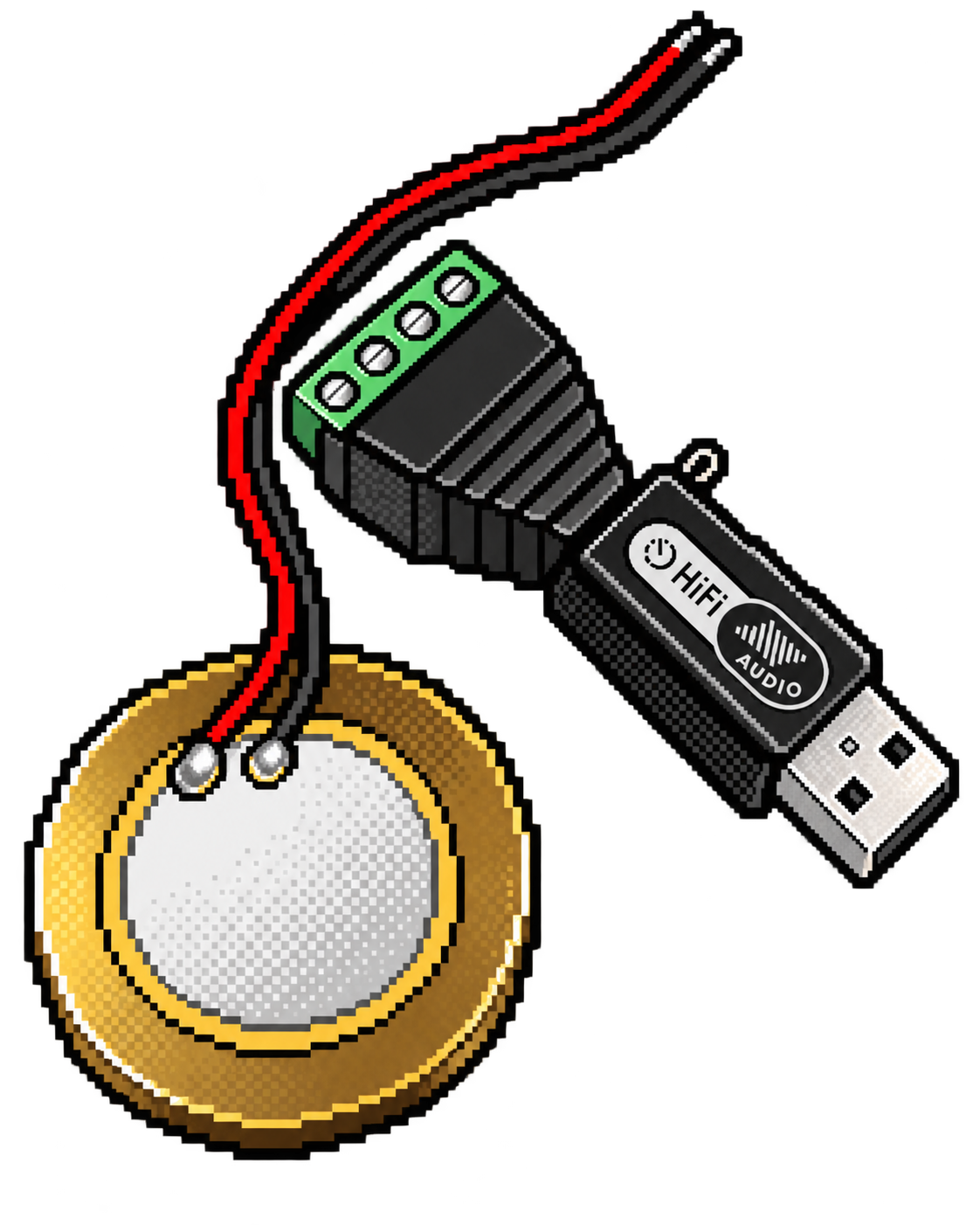
Prepare the piezo sensor, TRRS audio jack, and a small screwdriver.
- Step 2 of 8
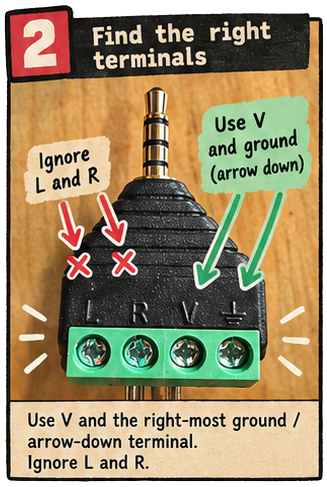
Find the terminals
Find V and the right-most ground terminal on the TRRS audio jack.
- Step 3 of 8
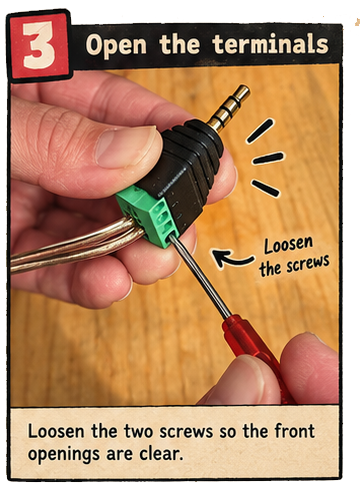
Loosen the screws
Loosen the two terminal screws with the small screwdriver.
- Step 4 of 8
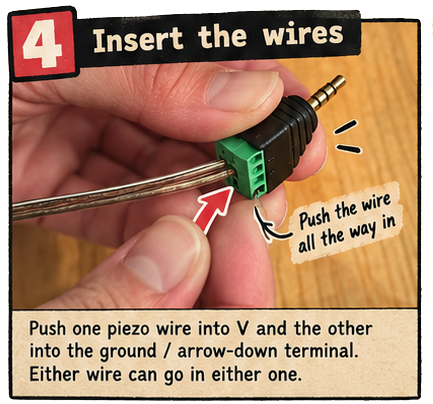
Insert the piezo wires
Insert one piezo wire into V and the other into ground, marked with a downward arrow. Either wire can go in either terminal. Leave L and R empty.
- Step 5 of 8
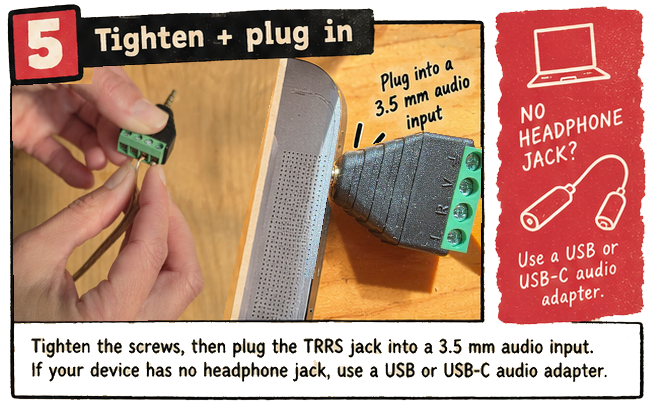
Secure the wires and connect the audio input
Tighten the screws, then gently tug the wires to check they are secure. Plug the TRRS jack into a compatible 3.5 mm microphone/headset input or a USB audio adapter.
- Step 6 of 8
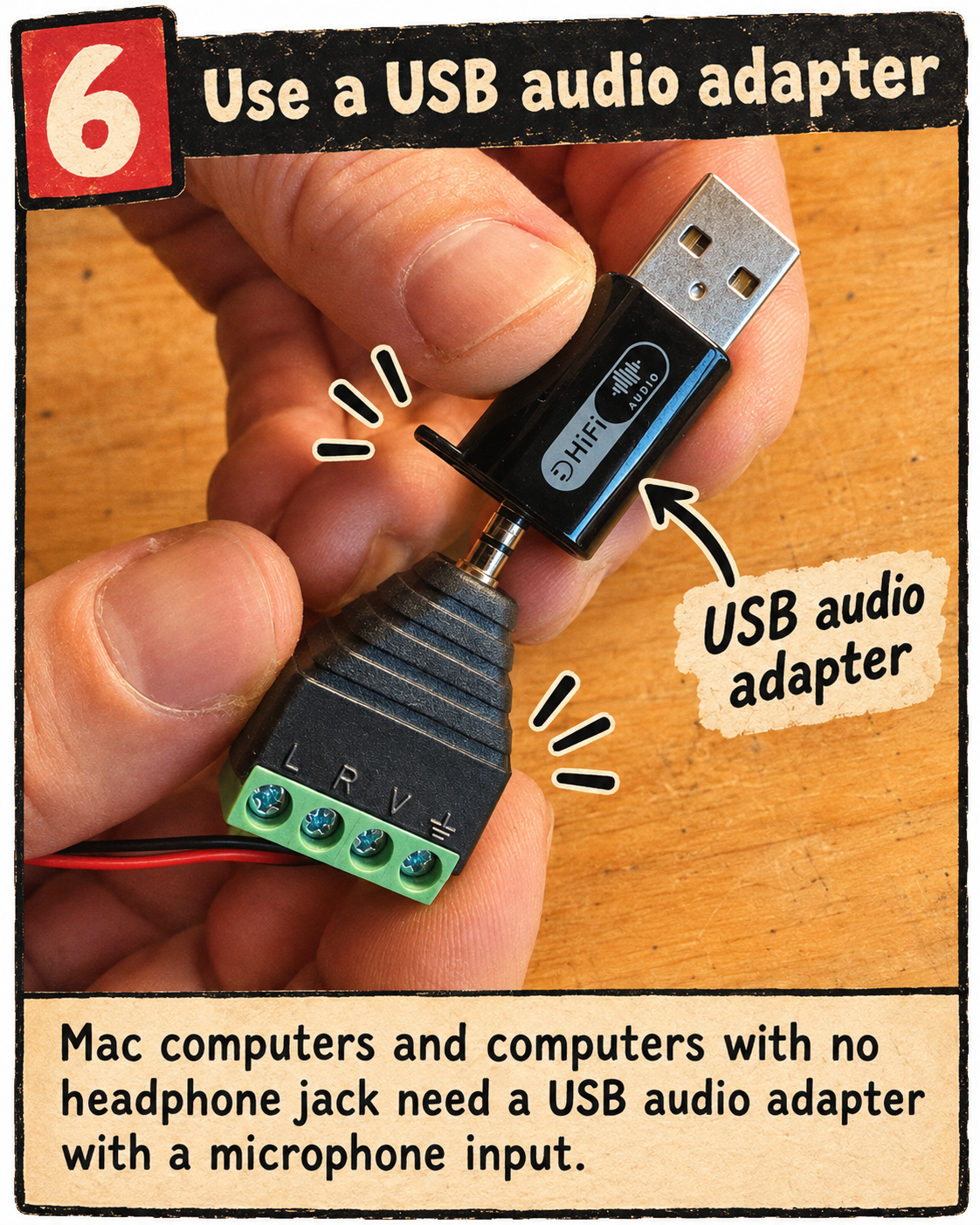
Use a USB audio adapter if needed
Mac computers and computers with no headphone jack will need a USB audio adapter with a microphone input. Plug the TRRS connector into the adapter’s microphone/headset socket, then connect the adapter to your computer. Choose an adapter that supports microphone input, not just headphone output.
- Step 7 of 8
Choose the USB audio input (if using an adapter)
If you are using a USB audio adapter, select it as the input source in every app you open. Start the sensor, audio, or game and allow microphone access so the browser can show device names. Open Audio input and choose your USB audio adapter under Input device, rather than the computer’s built-in microphone. In Junk Amp, use the audio input dropdown beside Start Audio. If the adapter is missing, plug it in and press Refresh inputs, then select it. Repeat this choice when you open a different app.
- Step 8 of 8
Test the piezo with Junk Amp
Keep the volume low. Press Start Audio in Junk Amp and allow microphone access. Select the piezo’s audio input, then gently tap the metal edge of the piezo disc. The input meter and waveform should respond. If they do not, check the selected input, jack, and wire connections before continuing.
/apps/audio/junk-amp/index.html